Toca Boca Jr: Fun Kids Games
Play PiknikEducational
3.363.79K Reviews
- Version
- 4.6.0
- Installs
- 100.00M
- Age Rating
- Everyone
Screenshots
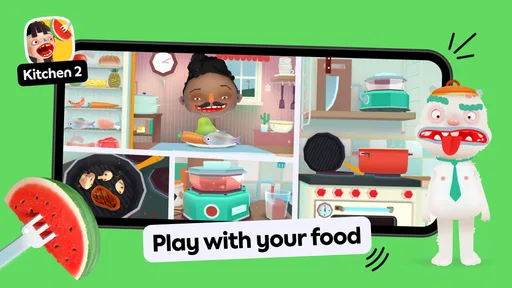
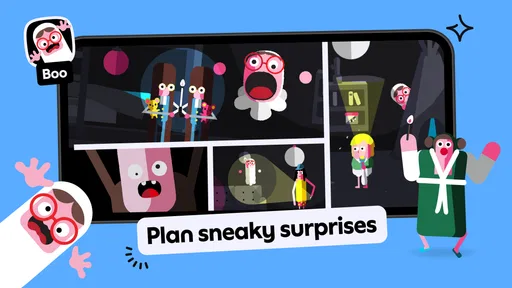
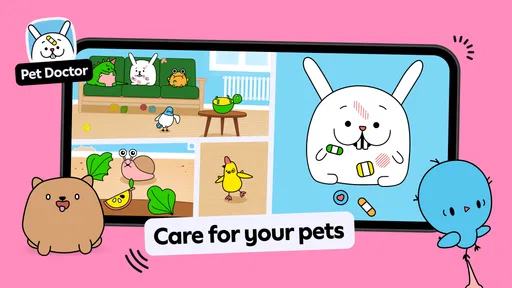
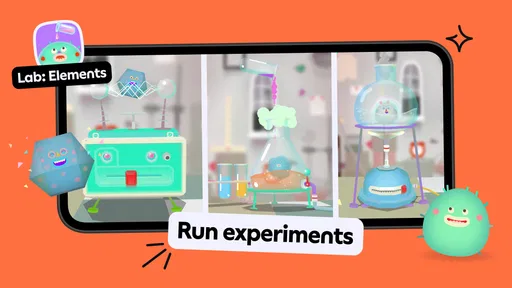
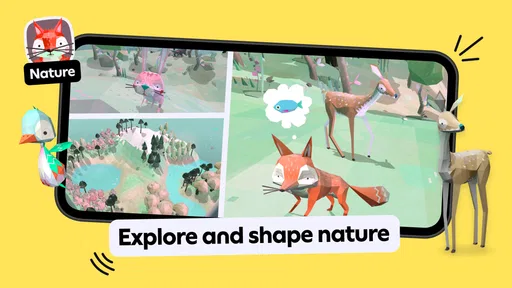
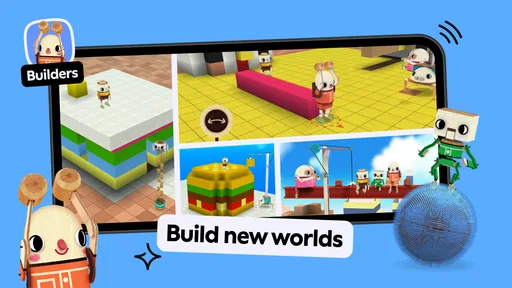
Our Review of Toca Boca Jr: Fun Kids Games
 Analysis by Appyee
When I think about choosing a game for a young child, I look beyond whether it can keep them busy. I want to know if they can understand what to do, explore without constant help, and enjoy it in the situations where a phone or tablet is genuinely useful. Toca Boca Jr is an educational game from Play Piknik aimed at children from 2 to 8, and its appeal is the room it gives them to play at their own pace. My experience is that its bright, playful presentation is inviting, though how easy it feels will still depend on a child’s age, interests, and comfort with touchscreens.
Finding a way around the play
The visual style makes the activities feel approachable rather than like lessons, and the lack of a rigid sequence means a child can follow curiosity instead of hunting for a “correct” next step. That can be helpful for children who are not yet reading confidently: they can make choices through what they see and do, while an adult can sit nearby and help interpret a screen if needed. I would still introduce the game together the first time. A young child may understand the playful scenes quickly but need a little support working out how to move between activities or what a particular interaction does.
That first shared session is also a useful way to see whether the visual pace suits your child. Rather than explaining every possibility, I’d let them try a few touches and describe what they notice. If they get stuck, a short demonstration is often more useful than taking over the device. For a child who likes to repeat familiar actions, returning to a favorite activity can be part of the fun; for one who wants a clear beginning and finish, the open-ended format may feel less satisfying.
Touch, pace, and sensory comfort
The activities invite hands-on exploration, which is a natural fit for children who enjoy tapping and making things happen on screen. There is no pressure to race through a task, so a child can pause, repeat an action, or change direction without falling behind. That relaxed pace is one of the game’s strongest qualities for shared play, especially when an adult wants to follow the child’s lead rather than turn screen time into a test.
Touchscreens can be tricky for some children, though. A child who has difficulty making precise taps, keeping a device steady, or distinguishing busy visual scenes may need closer support, and a tablet can be easier to share than a phone simply because it offers more room to hold and explore. I would keep sessions short at first and watch the child’s response to the colors, movement, and sound. If they become frustrated or overstimulated, switching to a quieter offline activity is the better choice; the game’s playful design will not suit every sensory preference.
Everyday use and practical trade-offs
I can imagine using it during a calm stretch at home, while waiting for an appointment, or as a brief activity on a journey when a child needs something to focus on. In a car, I’d have an adult set things up before the vehicle moves and keep the device secure; handing a device back and forth is distracting, and not every child can comfortably play while travelling. At a café or waiting room, the free-form activities can be easier to pause than a game built around timed turns, though I would still agree on a stopping point before opening it.
There is also a practical distinction between the game’s playful learning and a structured learning app. Toca Boca Jr encourages experimenting, imagining, and making choices, but it is not the option I’d pick when I want a child to practice a specific school skill or follow a lesson plan. Compared with a simple puzzle game, it offers a looser kind of play; compared with a drawing app, it gives children more varied pretend-play situations. That breadth is appealing, but a child who prefers one clear activity may be happier with a focused alternative.
The game is free to start, has an Everyone age rating, and is currently at version 3.7 for devices running OS 9 or later. Its average rating is around 3.5 from about 1.7 million ratings, with roughly 63,000 written reviews and over 100 million installs. Those figures suggest it has reached a very broad audience, but they do not tell me whether its style will click with an individual child. I’d use a short first session to judge that, rather than assuming popularity guarantees a fit.
Why Toca Boca Jr Stands Out
What immediately caught my attention about Toca Boca Jr is its vibrant and inviting design. It’s like stepping into a cartoon where everything is interactive. The app is designed for young children, making it super easy for them to navigate without any help from adults. Everything is intuitive, and trust me, your kids will have it all figured out in no time.
Features That Keep Kids Engaged
The app offers a variety of mini-games and activities. From cooking to hairstyling, each game encourages creativity and imagination. My niece spent hours creating wild hairstyles and serving up imaginary dishes to her virtual friends. It’s a digital playground where the only limit is their imagination.
One of the features I absolutely love is the absence of any rules or time limits. Kids can play at their own pace, which is a big plus. It’s all about exploration and having fun, rather than competing or following a strict structure.
Kid-Friendly and Safe
As a parent, safety is always a priority, and Toca Boca Jr doesn’t disappoint. The app is ad-free, and there are no in-app purchases that kids could accidentally tap on. This peace of mind is priceless when you’re handing over your phone or tablet.
Educational Value
While the app is primarily designed for fun, there’s an educational element too. Kids learn through play, and the app subtly incorporates problem-solving and decision-making skills. It’s a great way for kids to learn without even realizing it. How cool is that?
On the broader picture, this is best regarded as playful enrichment, not an instruction tool with defined outcomes. You can invite a child to tell you what they are making, why they chose a particular option, or what they might try next. That turns a quick play session into a little conversation without adding a scorecard or making the child perform for an adult. If they would rather play silently, that is fine too; the value is in exploration, not in producing a verbal answer.
One useful approach is to let the child lead for a few minutes, then offer a gentle prompt only if they seem unsure what to do. This can reveal whether they enjoy imaginative freedom or prefer a more guided activity. It also helps an adult avoid mistaking quiet concentration for disengagement. If the child is repeatedly asking what to tap, however, the game may be more enjoyable as a shared activity than as independent screen time.
Parents may also wonder about the cost beyond the initial download. The game includes optional in-app purchases priced from $7.99 to $79.99 per item, so I would not describe it as having no purchases. Before a child uses it alone, I’d review the purchase settings on the device and make clear that buying anything requires an adult. That small bit of preparation matters more than relying on a child to recognize a payment prompt.
In practice, I’d treat the app as one choice in a screen-time mix, not as a replacement for toys, books, or outdoor play. It works best when the child can stop without a battle and move on to something else. A predictable routine helps: for example, finish the current play moment, put the device away together, then choose a non-screen activity. This makes the open-ended format easier to manage, since there may not be a natural level-complete moment that signals the session is over.
It is also worth matching the device to the setting. A larger screen can make it easier for an adult and child to look together and share turns, while a phone is more convenient to carry but can feel cramped for small hands. Neither choice solves every motor or visual difficulty, so I would observe rather than assume. If the child consistently misses controls, tires quickly, or avoids the screen, an offline pretend-play activity may be more comfortable and just as imaginative.
For families comparing children’s games, the key choice is the kind of engagement they want. A highly structured educational game is a better fit for practice with a defined task; a puzzle game is better when a child enjoys a clear challenge and finish. Toca Boca Jr is more suitable when the goal is relaxed pretend play across different activities. Its trade-off is that children who need explicit instructions, a visible sense of progress, or a single focused theme may not find the same satisfaction here.
The game is free, but optional purchases range from $7.99 to $79.99 per item, so I would check purchase controls before handing over a device. It has an Everyone age rating and is currently version 3.7, with a minimum requirement of OS 9. Its average rating is about 3.5, based on around 1.7 million ratings; it has roughly 63,000 written reviews and more than 100 million installs. These figures show how widely it is used, but a child’s own response is a better guide to whether its style is right for them.
Overall, Toca Boca Jr is a good choice for young children who enjoy imaginative, self-directed screen play and for adults who are happy to share the first session and set sensible boundaries. It is less compelling for a child who wants a quiet, highly predictable interface, a specific learning curriculum, or activities built around precise touch control. I’d recommend trying it together, watching how the child navigates and responds, and deciding from there. Its strongest point is not that it suits every child, but that it makes room for many kinds of playful ideas without demanding one right way to play.
Overall, Toca Boca Jr is a fantastic app that combines fun and learning in a safe and engaging environment. Whether you’re looking for something to keep the kids entertained on a long car ride or simply want to give them a creative outlet, this app is a brilliant choice. It’s a delightful little package that’s sure to bring tons of joy to your little ones.
So, if you’re on the hunt for an app that’s kid-friendly, engaging, and educational, give Toca Boca Jr a whirl. You won’t be disappointed, and more importantly, your kids will love it!
Privacy and Permissions
See what permissions an app requests and how it handles your data.
- Photos/Media/Files
- read the contents of your USB storage, modify or delete the contents of your USB storage
- Storage
- read the contents of your USB storage, modify or delete the contents of your USB storage
- Other
- view network connections, full network access, prevent device from sleeping
Verdict
Strengths of Toca Boca Jr: Fun Kids Games
- Engaging and colorful interface.
- Intuitive controls for young users.
- Promotes creativity and exploration.
- No in-app purchases, kid-safe.
- Variety of mini-games included.
Limitations of Toca Boca Jr: Fun Kids Games
- Limited educational content.
- No parental control features.
- Can become repetitive over time.
- Requires internet for some features.
- High storage space needed.
Other Releases by Play Piknik
View All
Toca Boca Hair Salon 4
Educational3.8

PAW Patrol Academy
Education3.5

Gabbys Dollhouse: Cat Games
Educational3.8

Sago Mini World: Kids Games
Educational3.6
Similar Picks in This Category
View All
Little Panda Policeman
BabyBus4.0

Monster Trucks Game for Kids 2
Raz Games4.1

Little Panda's Chinese Recipes
BabyBus4.4

Little Panda's Restaurant
BabyBus4.4

Little Panda's Ice Cream Games
BabyBus4.3

Baby Panda Care
BabyBus3.8
You May Also Like
View All


Frequently Asked Questions
What is Toca Boca Jr. and who is it designed for?
Toca Boca Jr. is an engaging and interactive app specifically designed for young children, typically ages 3 to 5. It offers a safe and playful environment where kids can explore various activities and creative tasks, fostering imagination and learning. The app is part of the acclaimed Toca Boca series, known for promoting open-ended play and creativity.
Does Toca Boca Jr. require an internet connection to function?
No, Toca Boca Jr. does not require an internet connection to function once it is downloaded. This makes it a perfect app for on-the-go entertainment, allowing children to enjoy its features and activities anytime, anywhere, without the need for Wi-Fi or data usage. However, an internet connection is needed for the initial download and updates.
Are there in-app purchases or ads in Toca Boca Jr.?
Toca Boca Jr. is designed to be a child-friendly environment, meaning it does not contain any in-app purchases or advertisements. This ensures that children can play safely without accidental purchases or exposure to potentially inappropriate content. Parents can have peace of mind knowing the app is a safe digital space for their kids.
How does Toca Boca Jr. support learning and development?
Toca Boca Jr. supports learning and development by offering activities that enhance creativity, problem-solving skills, and hand-eye coordination. The app's design encourages children to explore and experiment, which helps develop their cognitive abilities and imagination. It provides a platform for kids to learn through play, making education fun and engaging.
Is Toca Boca Jr. available on both Android and iOS devices?
Yes, Toca Boca Jr. is available for download on both Android and iOS devices. This ensures that a wide range of users can access and enjoy the app, regardless of their preferred device. Parents can easily find and install the app from the Google Play Store or Apple App Store, ensuring compatibility and convenience.
Play our best games!


